Documentation
Everything you need to know about using Chalk to track your workouts.
Getting Started
Chalk is available on iOS and Android. Download the app from the App Store or Google Play, then create your account to get started.
Creating Your Account
You can sign up using your email address, Google account, or Apple ID. All three methods give you full access to cloud sync and cross-device access.
Onboarding
After signing up, you'll go through a brief onboarding flow:
- Choose a username - Pick a display name for your profile.
- Set your units - Choose between kilograms (kg) and pounds (lbs) for weight, and kilometers (km) and miles (mi) for distance. You can change this later in settings.
- Free trial intro - New accounts get a free trial of Pro features so you can explore everything Chalk has to offer.
Tutorial Diary
When you first open the app, you'll see a pre-filled tutorial diary entry showing you how workouts look in Chalk. Feel free to explore it, then start logging your own workouts.
The Diary
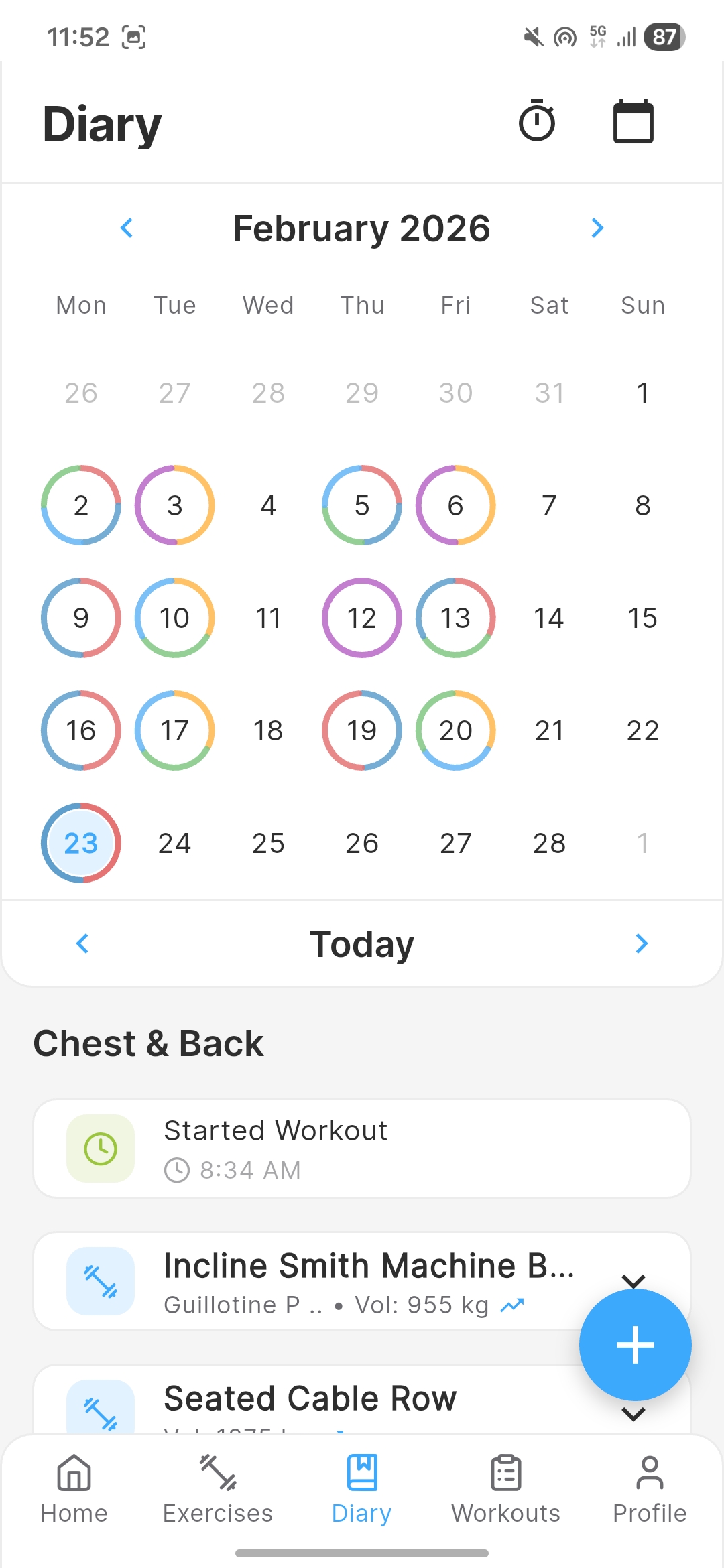
The diary is the central screen of Chalk. It's a calendar-based workout log where each day can contain your exercises, sets, and notes.
Navigating the Calendar
Swipe left and right or tap the date header to navigate between days. Days with logged workouts show an indicator dot beneath the date.
Adding Exercises
Tap the "+" button to add an exercise to the current day. Search or browse the exercise library, tap an exercise, and it's added to your diary entry.
Organizing Your Entries
Each diary entry shows your exercises with their sets, timestamps, and any notes. You can:
- Drag to reorder exercises within a day
- Add dividers to visually group exercises (useful for supersets)
- Add notes at the exercise level for session-wide observations
Logging Sets
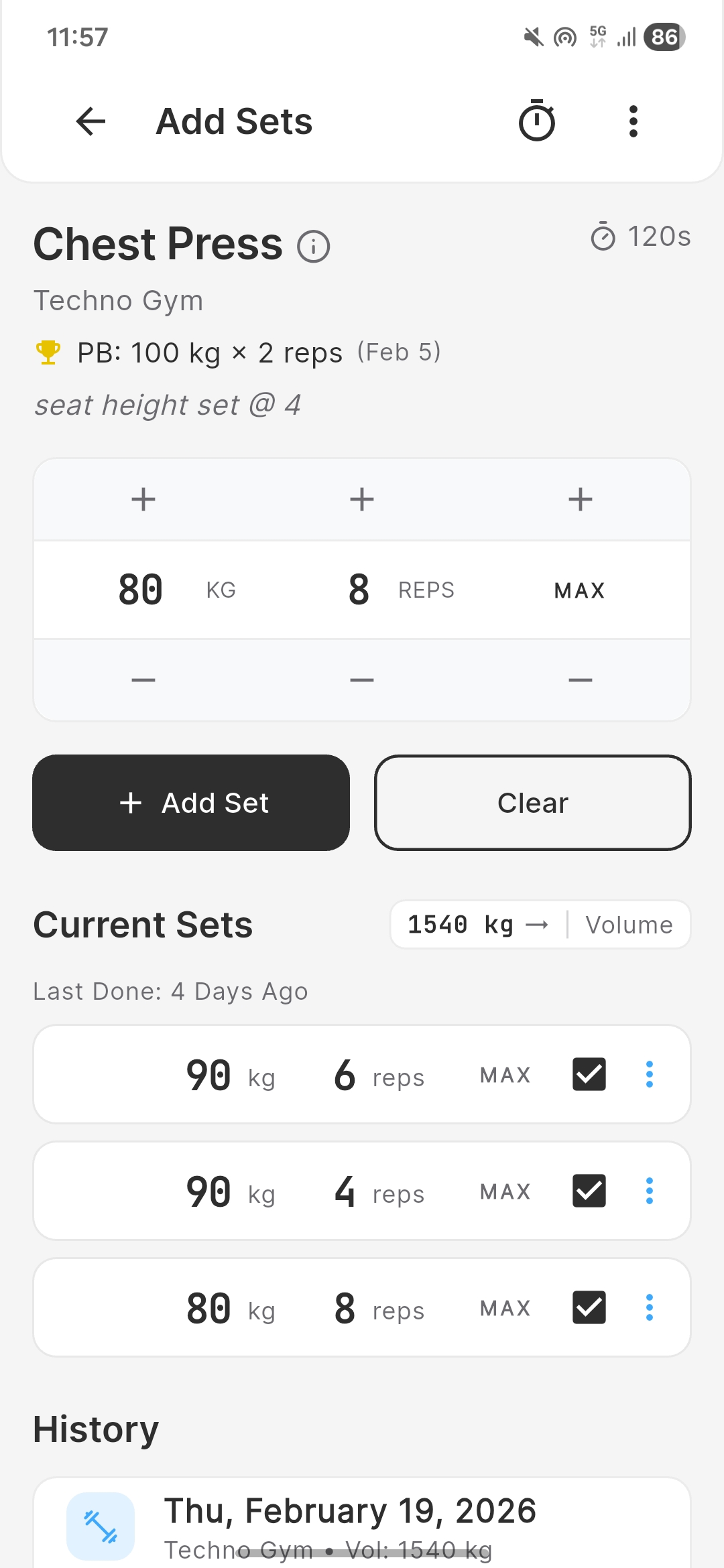
Tap any exercise in your diary to open the Add Set panel. This is where you record the details of each set.
Entering Set Data
Depending on the exercise type, you'll enter different fields:
- Weight & Reps - For standard strength exercises (e.g., 80kg x 8 reps)
- Time - For timed exercises like planks
- Distance & Time - For cardio like running
- Reps only - For bodyweight exercises
Difficulty Rating
Rate each set with a difficulty level: Easy, Medium, Hard, or Max. This helps you track effort over time and is shown in your analytics.
Drop Sets
Toggle the drop set option to mark a set as a drop set. Drop sets are visually grouped with the parent set in your diary.
Per-Set Notes
Add a note to any individual set for context, like "paused rep" or "spotter assisted."
Auto Rest Timer
After logging a set, the rest timer can automatically start (if enabled in settings). See the Rest Timer section for configuration options.
Exercise Types
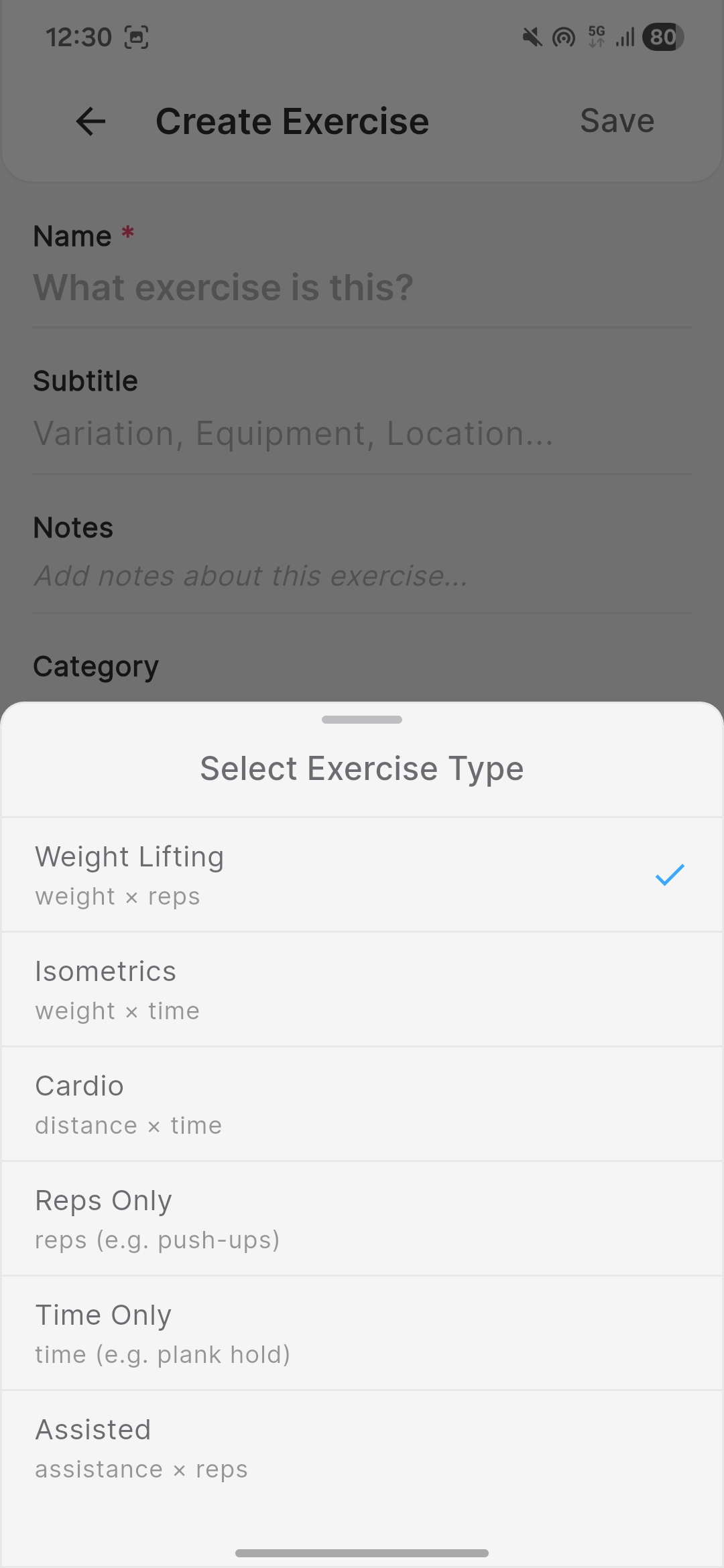
Chalk supports six exercise types to cover every kind of training:
Weight Lifting (weight × reps)
The most common type for strength training. Log the weight and number of reps for each set. Examples: bench press, squats, barbell rows.
Isometrics (weight × time)
For weighted exercises measured by duration. Log the weight and how long you held or performed the exercise. Examples: plank with weight, wall sit, dead hang.
Cardio (distance × time)
For cardio and endurance activities where both distance and time matter. Examples: running, cycling, rowing.
Reps Only
For bodyweight exercises where only the rep count matters. Examples: push-ups, pull-ups, dips.
Time Only
For activities tracked purely by duration. Examples: stretching, yoga holds, plank.
Assisted (assistance × reps)
For exercises using assistance (like a machine counterweight). Log the assistance weight and reps. Examples: assisted pull-ups, assisted dips.
Exercise Library
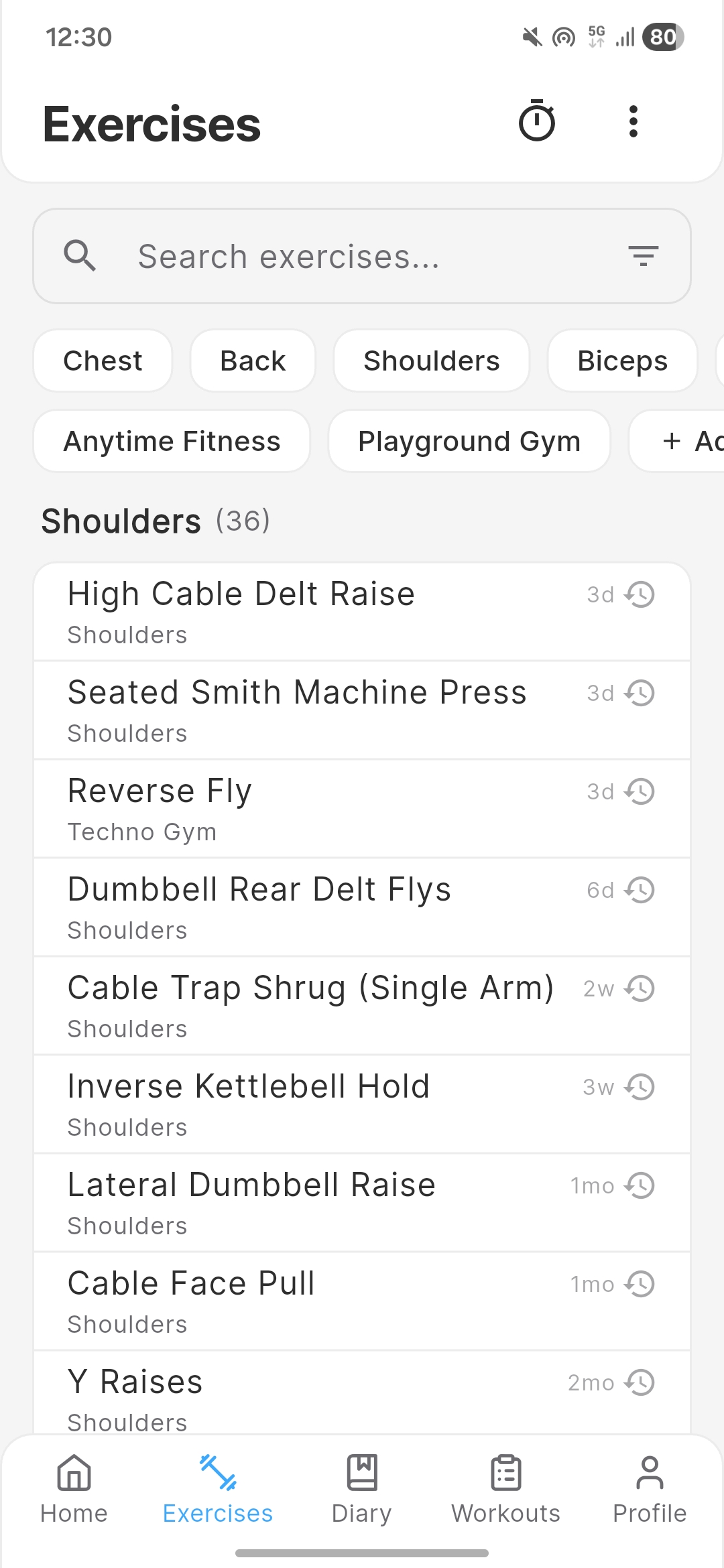
Chalk comes with a built-in database of common exercises. You can also create your own custom exercises.
Built-in Exercises
Browse or search the exercise database when adding exercises to your diary. Each exercise has a default type (weight × reps, time-based, etc.) that determines which fields appear when logging sets.
Custom Exercises
Create your own exercises with a custom name and type. Custom exercises are saved to your account and sync across devices.
Categories & Labels
Organize exercises with categories (like "Chest," "Back," "Legs") and labels for more specific tagging. The free plan includes 2 labels. Pro unlocks unlimited labels and custom categories.
Archive & Unarchive
Archive exercises you no longer use to keep your library clean. Archived exercises are hidden from search but preserved with their history. You can unarchive them at any time.
Workout Templates
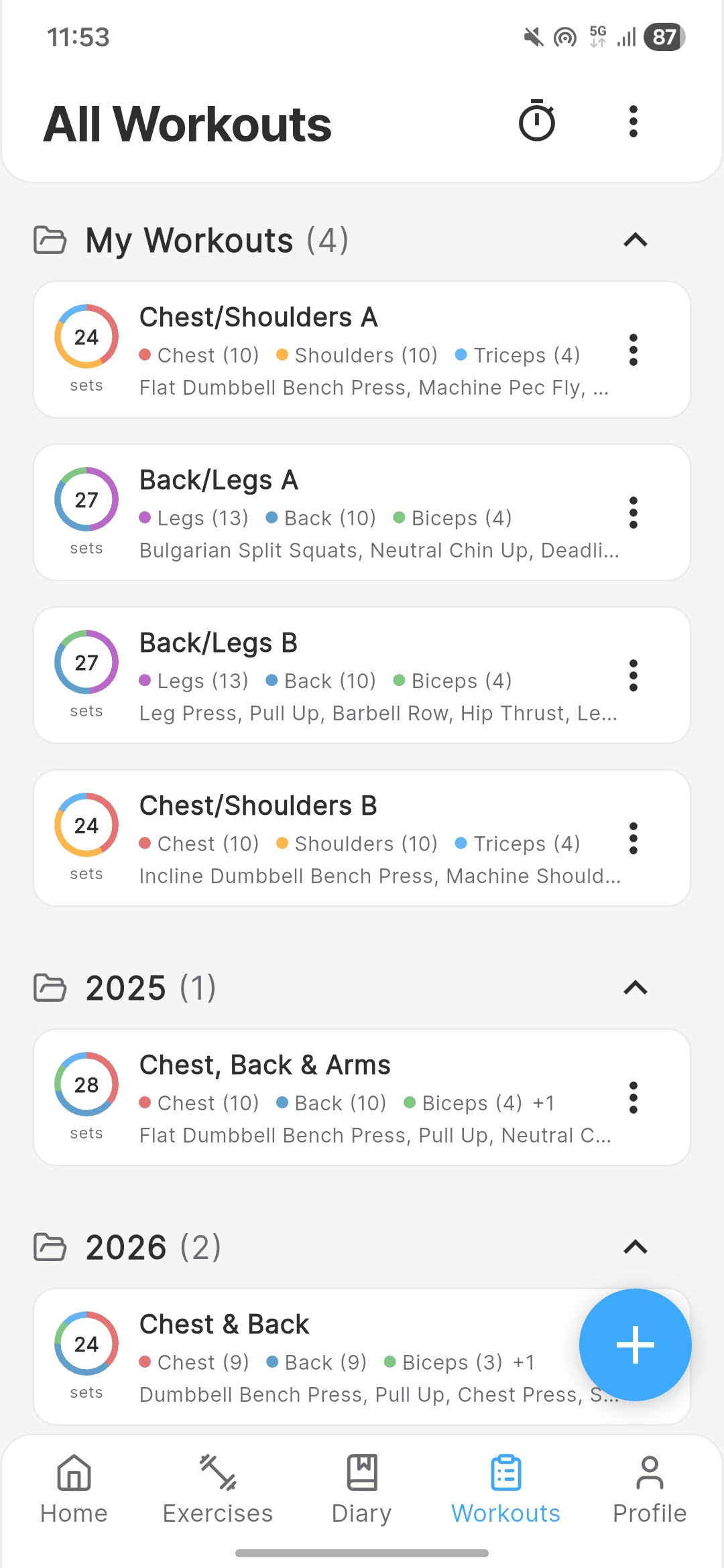
Templates let you save workout routines and load them into your diary with a single tap.
Creating a Template
Build a template from scratch by adding exercises, headers (for grouping), and notes.
Smart Prefill
When you load a template, Chalk automatically fills in the weight, reps, and other values from the last time you performed each exercise. This means you always know where you left off.
Free vs Pro Limits
- Free: Up to 4 templates
- Pro: Unlimited templates
Dashboard
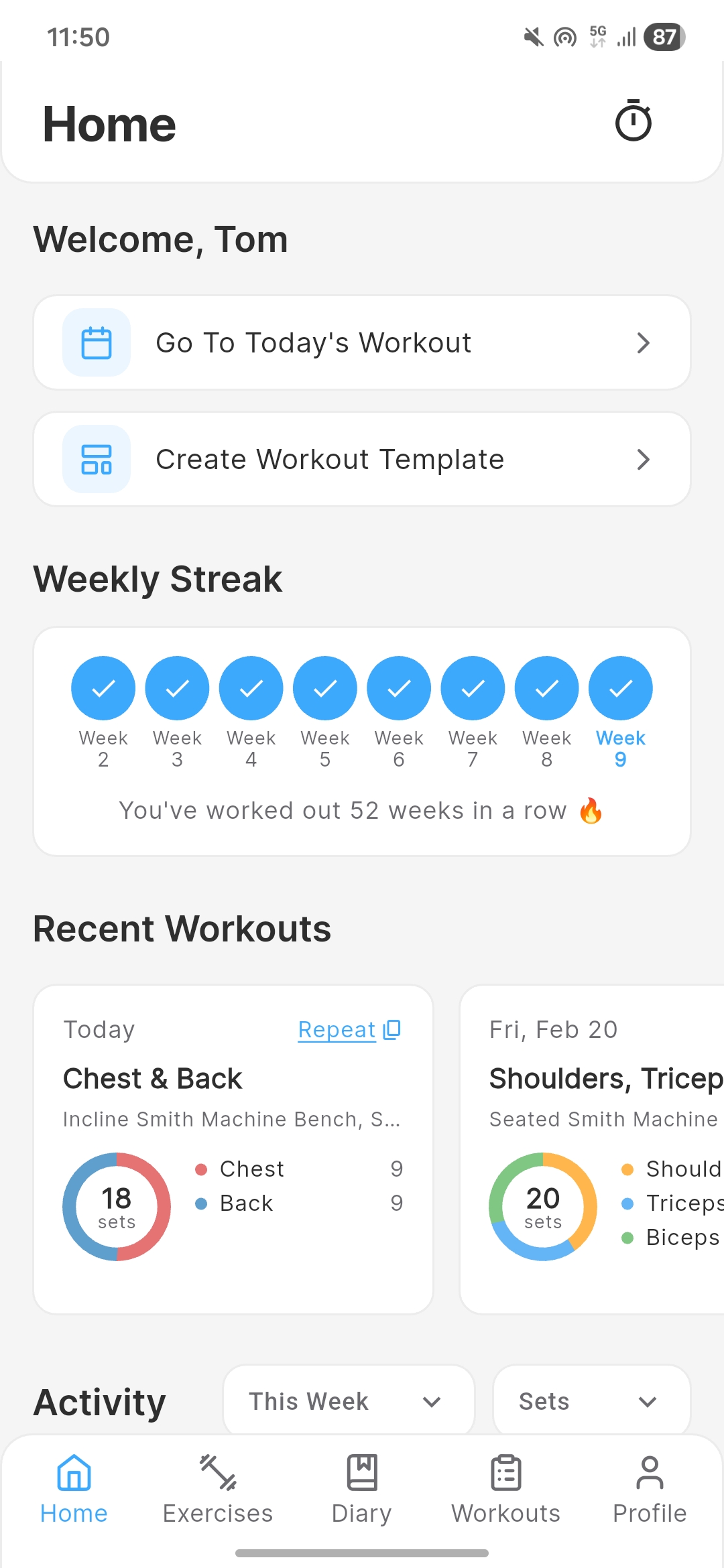
The dashboard gives you a quick overview of your training at a glance.
Recent Workouts
See your most recent diary entries with a summary of exercises and sets logged.
Weekly Streak
Track your weekly workout consistency. Your streak counts consecutive weeks where you logged at least one workout.
Yearly Activity Heatmap
A visual calendar showing your training frequency over the past year. Darker squares mean more exercises logged that day.
Quick Actions
Shortcuts to start logging today's workout, load a template, or jump to the exercise library.
Analytics & Progress
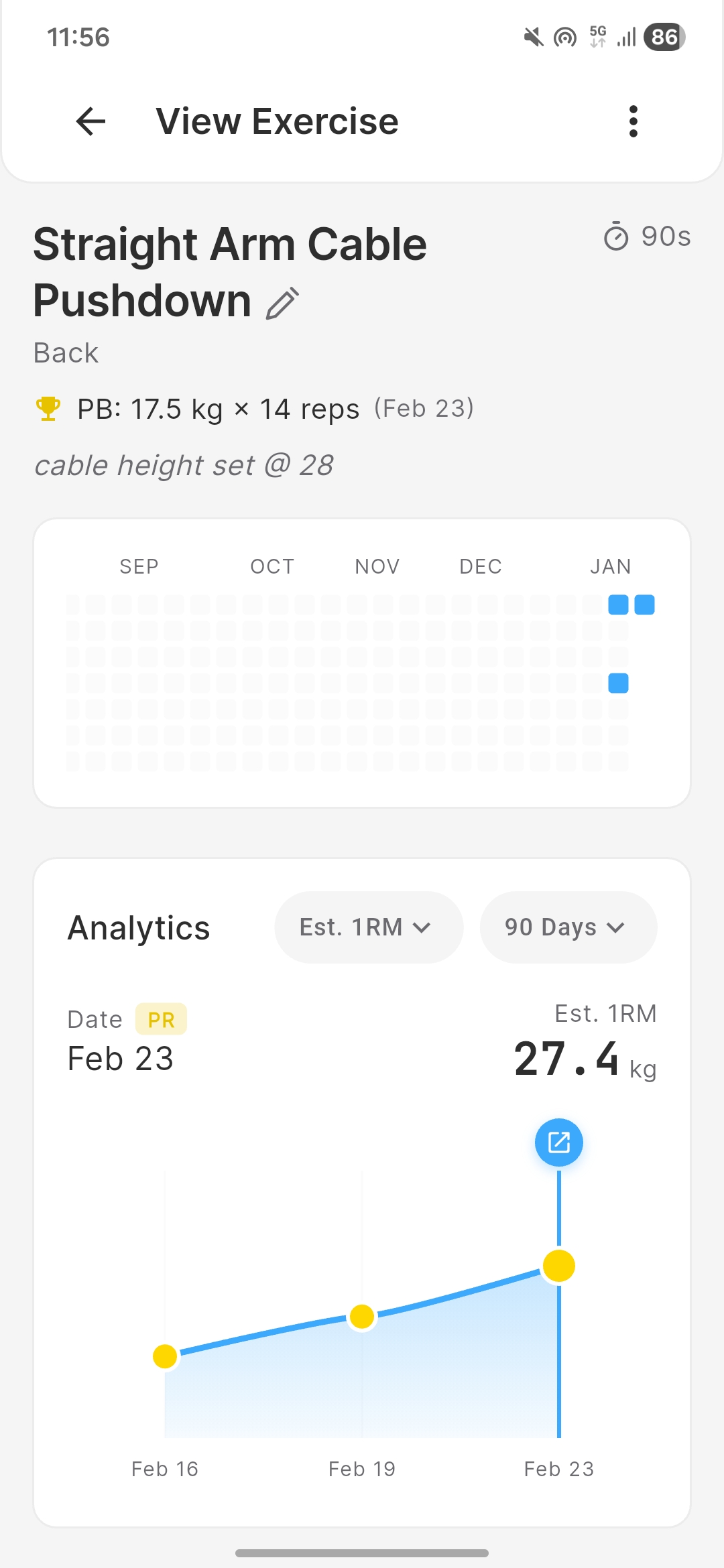
Chalk tracks your progress over time and automatically identifies personal bests.
Per-Exercise History
Tap any exercise to view its dedicated history page. You'll see every session where you performed that exercise, with full set details.
Interactive Charts
View progress charts with selectable time ranges:
- 30 days - Recent progress
- 90 days - Quarter view (free plan limit)
- 6 months - Medium-term trends (Pro)
- 1 year - Annual progress (Pro)
- All-time - Your complete history (Pro)
Automatic Personal Best Tracking
Chalk automatically detects when you hit a new personal best for any exercise. A set counts as a PB when it isn't dominated by any previous set — meaning no prior set had both equal-or-greater weight and equal-or-greater reps. PBs are highlighted in your diary and on the exercise history page.
Free vs Pro Analytics
- Free: 90-day chart history
- Pro: All-time chart history with all time range options
Rest Timer
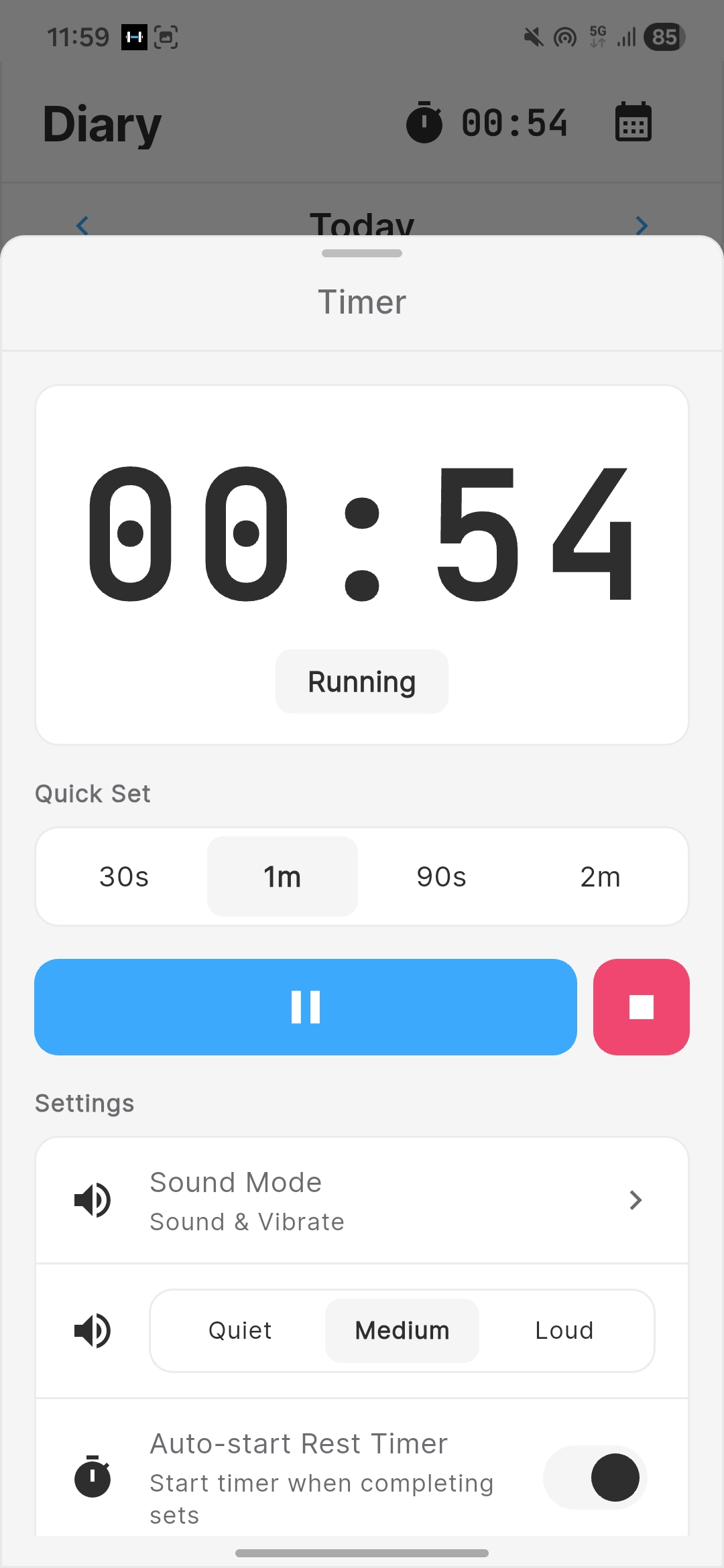
The built-in rest timer helps you stay consistent with rest periods between sets.
Configurable Duration
Set your default rest time in settings. The timer starts counting down after you log a set (if auto-start is enabled).
Auto-Start
Toggle auto-start on or off. When enabled, the timer begins automatically after each logged set. When disabled, you start it manually.
Alert Modes
Choose how the timer notifies you when rest is complete:
- Sound & Vibrate - Both an audible alarm and vibration
- Vibrate Only - A vibration alert without sound
- Silent - No alert (visual only)
Background Timer
The rest timer continues running in the background, so you can check your phone, browse social media, or change music without losing your timer.
Profile & Settings
Customize Chalk to fit your preferences.
Default Units
Choose between kilograms (kg) and pounds (lbs) for weight, and kilometers (km) and miles (mi) for distance. This applies to all exercises globally.
Rest Timer Configuration
Set your default rest duration and auto-start preference from the settings screen.
Theme
Choose between System, Light, or Dark mode. The System option follows your device's theme setting.
Labels & Categories
Manage your exercise labels and categories from the settings screen. Free users get 2 labels; Pro unlocks unlimited labels and custom categories.
Account Management
Update your username, change your email, or delete your account from the account settings page. Account deletion permanently removes all data from our servers.
Cloud Sync
Chalk uses Firebase to keep your data safe and in sync across all your devices.
Offline-First
Chalk works fully offline. Your workouts are saved to your device first, then synced to the cloud when a connection is available. You'll never lose data due to poor gym Wi-Fi.
Cross-Device Access
Sign in with the same account on multiple devices and your data stays in sync. Log a workout on your phone and see it on your tablet immediately.
Security
All data is encrypted in transit and at rest using Firebase's security infrastructure. Your workout data is protected by industry-standard encryption.